
For plant, operations and quality managers

Unlock and improve your plant's knowledge.

Securely and instantly, for every shift. CanvasKB turns your SOPs, work instructions, quality procedures and OEM documentation linked from your suppliers' websites into guidance operators can use, and turns their questions into insights that show you what to fix.

After the 30-day trial, Tier 1 is $125 a month for up to 25 people, about $5 a person.

Answers only from your approved documents Each person sees only their areas Never used to train AI
Illustration of a plant manager in a hard hat reading an answer on a tablet beside a production line.
CanvasKB Example

What's the changeover sequence for Line 3?

Follow SOP-114, section 4: lock out the line, change the die, then run the first-piece check before you restart.1

1 SOP-114 Line 3 Changeover Rev C LATEST

The same questions, every shift

None of these questions are new. The answers are written down somewhere, but every repeat costs a supervisor's time, and nobody who owns the procedures sees the pattern.

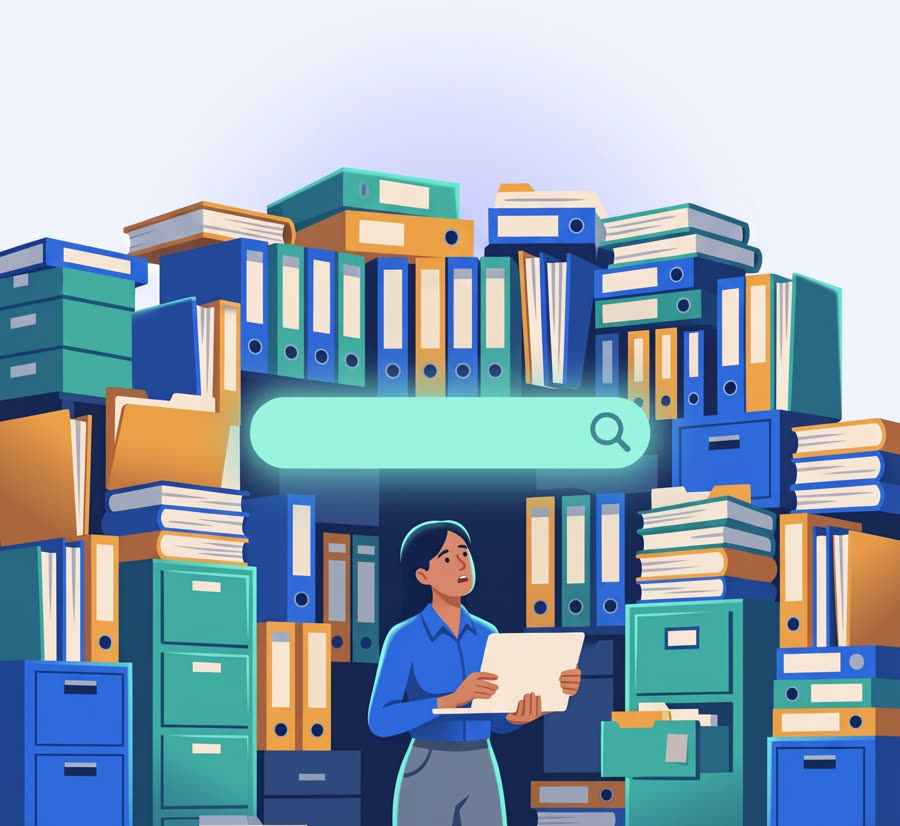
Illustration of a worker searching for one document among towering shelves of binders and filing cabinets.
06:04 Operator, second week

“What's the changeover sequence for Line 3?”

Waits for the supervisor.

06:31 Shift handover

“Is this part a reject or a rework?”

The spec sheet is in a binder in the QC office.

07:10 A different operator Asked before

“What's the changeover sequence for Line 3?”

Same question. The supervisor answers it again.

08:45 Maintenance

“Press 2 tripped again. What's the reset procedure?”

The one person who knows it works nights.

Every question is a signal. CanvasKB makes sure you hear it.

Do you know what your operators are asking?

Answering the question is half the job. CanvasKB also shows you what gets asked, which questions your documents can't answer, and where access gets in the way, so the next shift gets a better answer.

Review request Pending
Quality area Sent anonymously

“This doesn't say who signs off a deviation on nights.”

AI briefing

Asked who approves a deviation on the night shift. QP-210 doesn't say. Likely gap: a night-shift sign-off rule.

1

Anyone can flag a weak answer

Every answer has Send for review. Requests are anonymous and go to the people who look after that knowledge area, with an AI briefing on the likely gap.

Weak answers Last 30 days
18 Knowledge gaps
6 Access gaps
4 Flagged

Top areas missing content

Quality
9
Maintenance
5
Line 3
2
2

Find the gaps in your procedures

Analytics groups weak answers into knowledge gaps, access gaps and flagged answers, with the questions behind each and the areas that miss most. You see the questions, never who asked.

QP-210 Deviation Approval v2, synced from SharePoint
Required reading Due Friday
15 of 20 confirmed Nudge 5 people
3

Fix it, and see who has read it

Update the file in SharePoint and the new version syncs in. Then assign it as required reading and see who has confirmed.

Screens recreated from the CanvasKB app, with example data.

What it costs when knowledge stays locked up

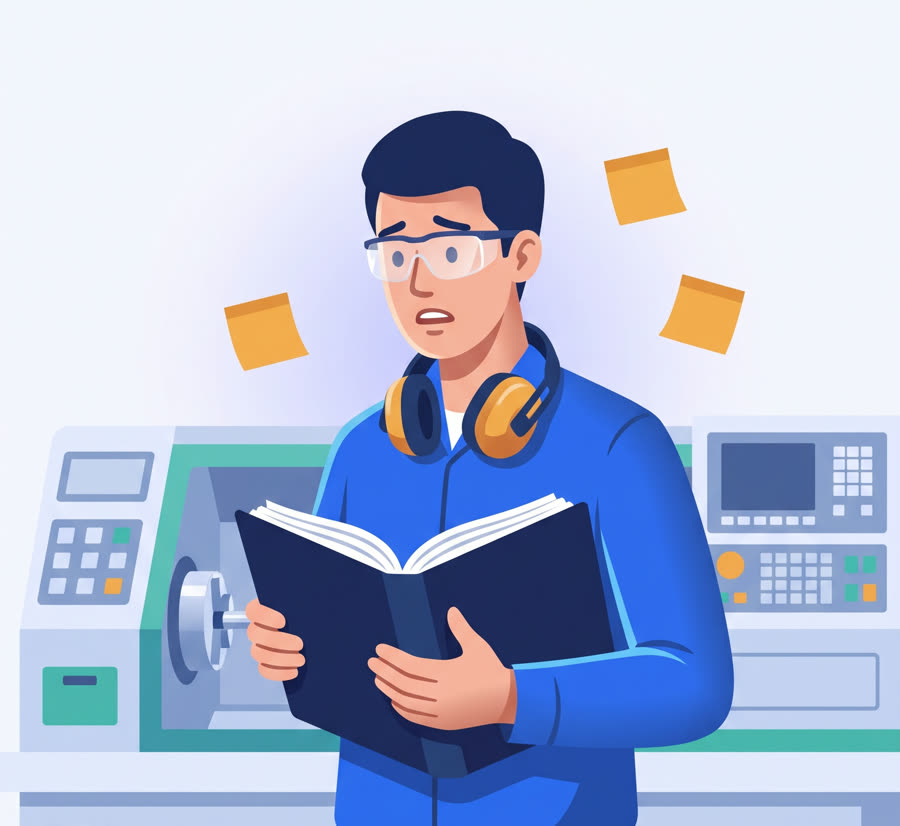
Illustration of a new machine operator holding a thick binder and looking unsure beside a machine.

New operators wait, or guess

A new hire who can't find the work instruction either stops to ask or does what looks right. Neither is what you trained for, and both cost you on a busy shift.

12% of employees strongly agree their organization does a great job of onboarding new people.

Source: Gallup, 2019
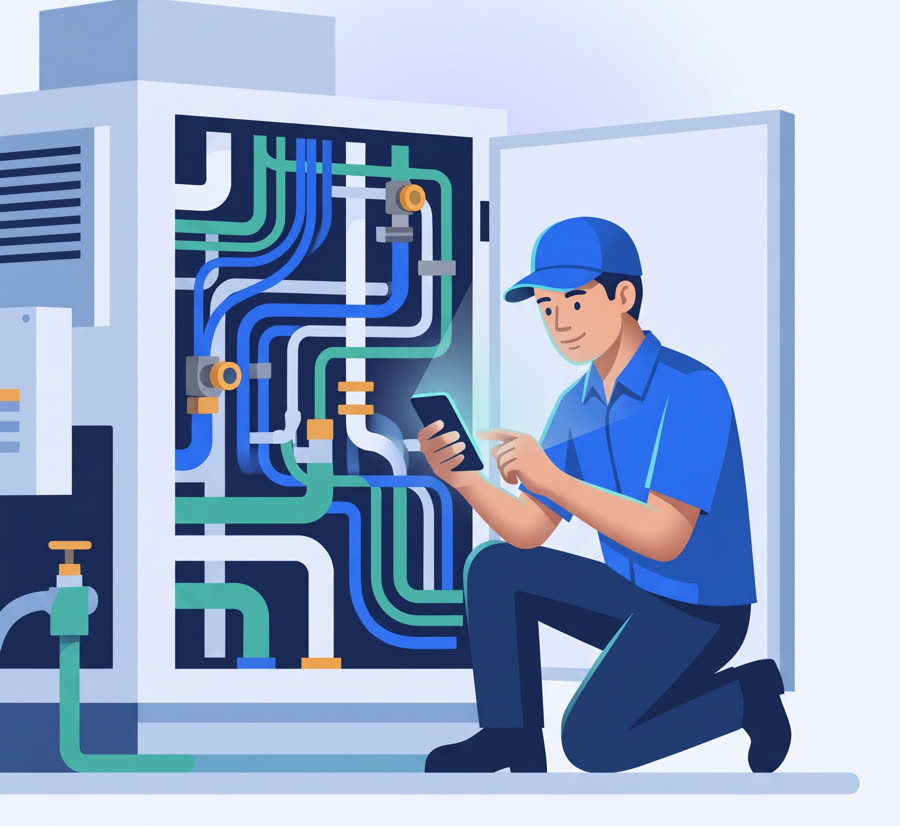
Illustration of a maintenance technician kneeling at an open control cabinet and checking a phone.

Know-how sits with a few experienced people

When the reset procedure lives with one technician, every breakdown waits for them. Once it's written down and easy to reach, the next shift has it too. With fewer experienced people to go around, your written procedures have to do more of the teaching.

1.9 million US manufacturing jobs could go unfilled by 2033.

Source: Deloitte and The Manufacturing Institute, 2024

Illustration of a quality inspector in safety glasses checking a machined part against a clipboard.

Quality steps drift between shifts

If the nonconformance procedure is hard to find, each shift handles a bad part its own way. You find out at the audit, or from the customer.

Guidance for every shift, in plain words

Ask the way you'd ask your supervisor. Every answer cites its source, and when your documents don't cover something, CanvasKB says so instead of guessing.

CanvasKB Example answer

What's the changeover sequence for Line 3?

Follow SOP-114, section 4: lock out the line, change the die, then run the first-piece check before you restart.1

1 SOP-114 Line 3 Changeover Rev C LATEST
Save to note Send for review

These are examples. Your answers come from your own documents.

What is CanvasKB?

CanvasKB is an always-available AI solution from OperaMind that turns a company's approved documents into guidance employees can use, and their questions into insights that help leaders improve those documents. Operators, supervisors and engineers ask in plain words, see only the knowledge areas they're allowed to, and get answers that link to the exact document, page and paragraph. It runs on Microsoft Azure, and Tier 1 costs $125 a month for up to 25 people.

See the real product in about a minute

A 73-second look at CanvasKB, from the first question to an answer you can check.

How it works

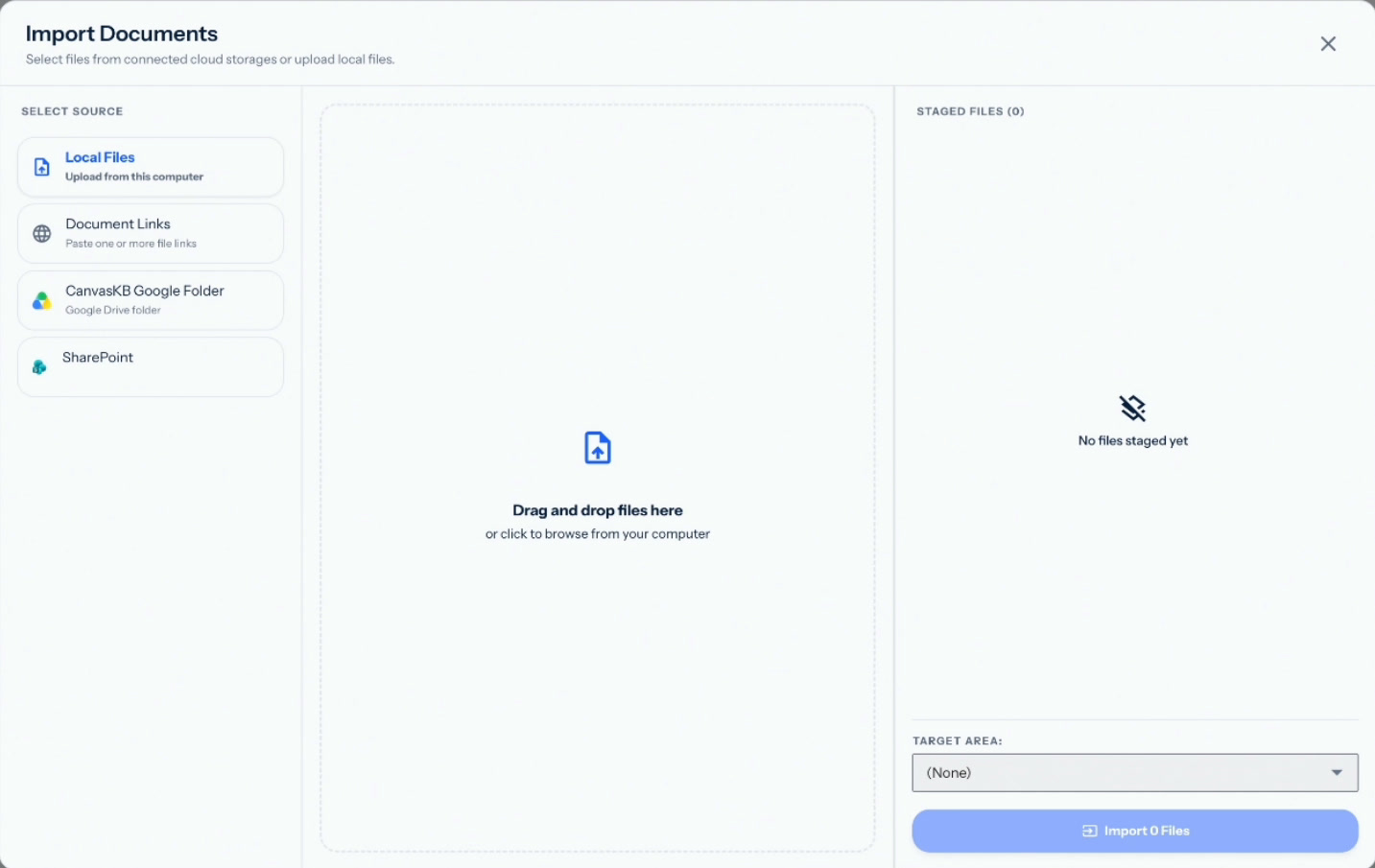
Upload SOPs, work instructions and quality procedures, link OEM documentation from the manufacturer's website, or connect SharePoint, OneDrive or Google Drive. Connections are read-only, and changes sync in every hour.

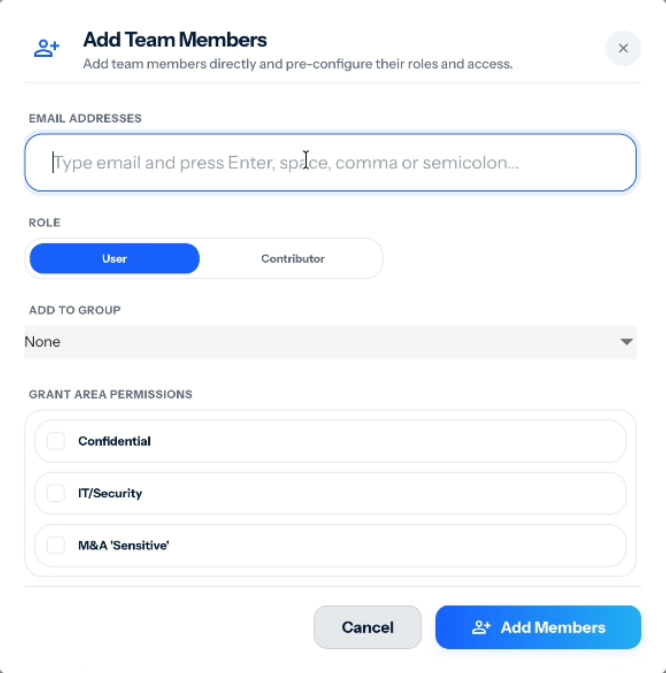
Give each line, team or site its own knowledge area, group people by role, and every question searches only what that person may see.

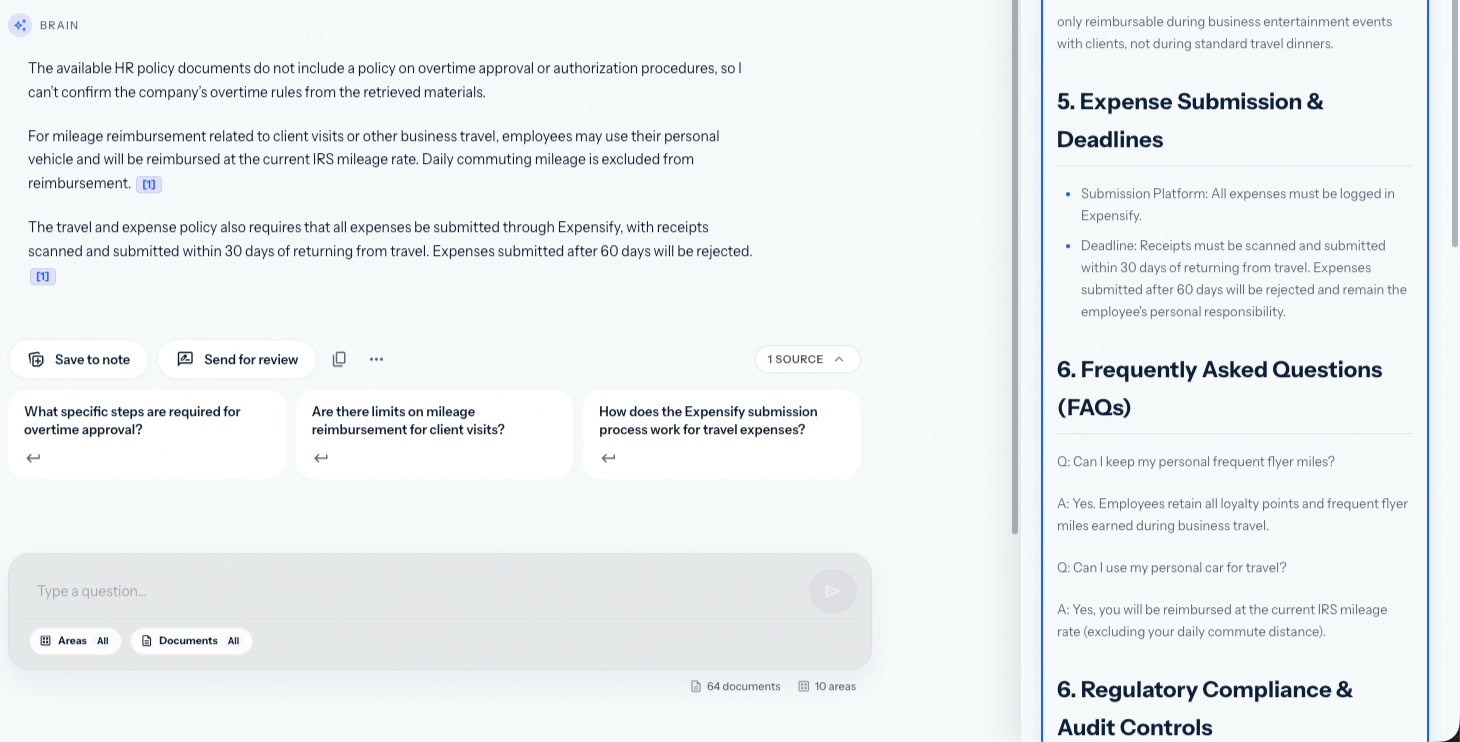
Every answer links to its source. When the documents fall short, CanvasKB says so, anyone can send it for review, and it shows up in your analytics.

Screenshot of the CanvasKB Import Documents window: upload local files, add document links, or connect a Google Drive folder or SharePoint, then choose the target knowledge area.

Real screen: import from your computer, web links, a Google Drive folder or SharePoint, straight into a knowledge area.

Screenshot of the CanvasKB Add Team Members window: enter email addresses, choose the User or Contributor role, add to a group and grant knowledge area permissions.

Real screen: invite people as users or contributors, add them to a group and grant the knowledge areas they can see.

Screenshot of a CanvasKB answer with numbered source markers, Save to note and Send for review buttons, and the cited document open in a citations panel.

Real screen: the answer cites its source, the source opens beside it, and it says so when the documents don't cover a question.

Real screens from a CanvasKB demo workspace. Hover over the steps or select one to pause.

Connecting AI to SharePoint is the easy part.

Someone in IT can point Copilot or Claude at a folder in an afternoon. Running company knowledge for a whole plant is a different job: access by rule, answers you can prove, conflicts and versions handled, and a loop that improves the documents. Rebuilding that yourself is not a walk in the park.

Answers

It says when it doesn't know

Answers come only from your approved documents. If they don't cover a question, CanvasKB says so instead of guessing.

Access

Access by rule, not by folder

Knowledge areas, user groups and three roles decide who sees what. Every question searches only what that person may see.

Citations

A source you can open

Each citation opens the document at the cited page, with the passage highlighted.

Conflicts

Contradictions held back

A document that contradicts another in the same area is marked as a conflict and kept out of answers until someone merges it.

Versions

Always the latest version

Every document keeps its versions. When a cited document has a newer one, people see a warning and a summary of what changed.

Feedback

A loop that fixes the source

Anyone can send an answer for review. The area's owners get the question, an AI briefing on the gap, and a permanent audit trail.

Insight

A pulse for leaders

See what gets asked and when, the questions your documents can't answer, and where access blocks people. Anonymous by design.

Reading

Required reading, with proof

Assign a document with a due date, see who has confirmed reading it, nudge the rest, and export the record.

No one on your team can, or should, build all of this alone with a Copilot or Claude license.

One site. 25 people. $125 a month.

Tier 1 is one flat fee for up to 25 users, so you don't count seats. Most plants start with one line or one department and add people once it has earned its place.

Every CanvasKB feature: cited answers, management analytics, review requests, knowledge areas and permissions, version history, and required reading with read confirmation

SharePoint, OneDrive and Google Drive sync, web links and document upload

Fully hosted on Microsoft Azure, with nothing to install

Save 10%, 15% or 20% when you prepay for one, two or three years

CanvasKB, Copilot or no tool at all: what 25 people cost and what you get

CanvasKB Tier 1

Microsoft 365 Copilot Business

No tool: people ask each other

Cost for 25 people a month

$125, one flat fee

$525 ($21 a person), plus a Microsoft 365 plan for each person

No license fee, but supervisors keep answering the same questions

Where answers come from

Only the documents you've added and approved

Any file, email or chat each person can open

Whoever is nearby, or whatever a search of shared folders turns up

Can you check the answer?

Yes. Every answer links to the page and paragraph

It links to the files it drew on

Rarely. A colleague's answer has no source

What leaders learn

What people ask, what your documents can't answer, and where access blocks them

Usage counts, not the questions people ask

Nothing, unless someone writes it down

Copilot figures: Microsoft 365 Copilot Business list price of $21 per user per month on an annual plan, for organizations with up to 300 users, checked 30 October 2026. Larger organizations pay $30 per user for Microsoft 365 Copilot. Both need a qualifying Microsoft 365 plan for each person.

Secure by design

Reviewing vendors for IT? Email [email protected] for our full Security FAQ.

Access by rule

Knowledge areas, user groups and roles decide who sees what. Every question searches only the areas that person may see, and changes apply at once.

Anonymous insight

Analytics and review requests show the question, never who asked it.

Never used to train AI

Your documents and questions are not used to train or improve AI models.

Masked before the AI sees it

Names, email addresses and phone numbers in a question are masked before the AI model sees them.

Encrypted

AES-256 at rest, and TLS 1.2 or higher in transit.

Hosted on Microsoft Azure

In the United States, with each organization's documents, users and chats kept separate.

CanvasKB can read the SharePoint, OneDrive or Google Drive files you select. It can't edit, delete or re-share them.

Work sign-in

Microsoft work accounts (Microsoft Entra ID), or business email and password.

Yours to delete

Remove a document or your whole account at any time. If you don't continue after the trial, your data is deleted within 30 days.

What our first pilot users told us

Dr. Vijay Jog, founder of CanvasKB

We're a young company, so there is no wall of logos here yet. But we are proud to share a sample of comments made by our first pilot users below, and you can try CanvasKB on your own documents: judge it by your answers, not our claims.

CanvasKB was founded by Dr. Vijay Jog, founder of the CRG group of companies, with more than 30 years of consulting and entrepreneurial experience. Vijay on LinkedIn

“This is an excellent product, and it brings structure to the chaos. Currently, employees must 'think like librarians' to memorize the structure of these SharePoints, naming conventions, navigations, etc. Your solution will minimize search time, shorten the onboarding period for new hires and improve the employee experience.”

Project manager, IT and systems, at a mid-market beverage manufacturer

“I really like how quickly the AI assistant responds, as well as the consistency in language and tone. The responses are action-oriented, with practical steps, which makes the feedback feel grounded in execution rather than theoretical.”

Head of HR and talent development, at the same manufacturer

“I am very impressed. All of the responses were appropriate and made good sense to me. Recognizing that these responses are all based on a single document, I can imagine how powerful this tool will be when complete company documentation is loaded.”

Independent CEO advisor

From pilot feedback sent to us by email, April 2026. Company names left out.

Questions plant managers ask

Still unsure? Email [email protected].

Last updated 3 November 2026

How is CanvasKB different from Microsoft Copilot?

Copilot is a general assistant, priced per person, that works across the files, email and chats each person can open in Microsoft 365. CanvasKB runs company knowledge for the whole team: answers only from the documents you approve, access by knowledge area and group, citations that open the exact passage, a review loop that fixes the source, and analytics that show leaders what people ask and where the documents fall short. For 25 people, CanvasKB is $125 a month in total. Copilot Business lists at $21 per person per month, on top of a Microsoft 365 plan.

Couldn't our IT team build this with Copilot or Claude?

They could connect an AI to a folder quickly. The work is everything after that: deciding who can see what across your document sources, keeping answers to approved documents, holding back contradictions, tracking versions, routing weak answers to the right owner, proving who has read what, and showing leaders what people need without naming anyone. CanvasKB does all of that today, for one flat monthly fee.

What do managers see?

An analytics dashboard: questions, active users and the answer rate over 7 or 30 days, when questions come in, question types with the actual questions behind them, and weak answers grouped into knowledge gaps, access gaps and flagged answers, with the areas missing the most content. It's anonymous by design: you see the questions, not who asked them.

Do operators need a computer?

No. CanvasKB runs in a web browser, so operators can use a phone, a tablet or a shared terminal on the floor.

Which documents can it use?

SOPs, work instructions, quality procedures, safety rules, maintenance manuals and HR policies. Upload files, link OEM documentation straight from the manufacturer's website, or connect SharePoint, OneDrive or Google Drive with read-only access.

What if an answer is wrong or missing?

Every answer shows its source, so people can check it before they act. If your documents don't cover a question, CanvasKB says so instead of guessing, and anyone can send the answer for review to the people who look after that document.

Who can see which documents?

You decide. Owners, contributors and users have different rights, user groups give a whole team access in one rule, and knowledge areas keep each line's, team's or site's documents to the people who need them. Changes apply immediately.

How long does it take to set up?

You can start the same day: connect SharePoint or upload your first documents, decide who sees what, and invite your team. A new document can be asked about within seconds of upload. A good first step is the 10 to 20 procedures people ask about most.

What happens after the 30-day free trial?

You can keep going on Tier 1 at $125 a month for up to 25 people, or prepay for one, two or three years and save 10, 15 or 20%. If you don't continue, your trial data is deleted within 30 days.

Is our data used to train AI?

No. Your documents and questions are never used to train AI models. CanvasKB runs on Microsoft Azure in the United States, and connections to SharePoint, OneDrive or Google Drive are read-only.

Try it on the questions you heard this morning

Day 1

Upload the 10 procedures people ask about most.

Day 2

Invite your supervisors and a few operators.

Weeks 1 to 4

Ask the questions you hear every shift, send weak answers for review, and see in the analytics what to fix.

Day 30

Decide whether it's worth $125 a month.

After the demo, try it free for 30 days on Tier 1, up to 25 people. Questions first? [email protected]

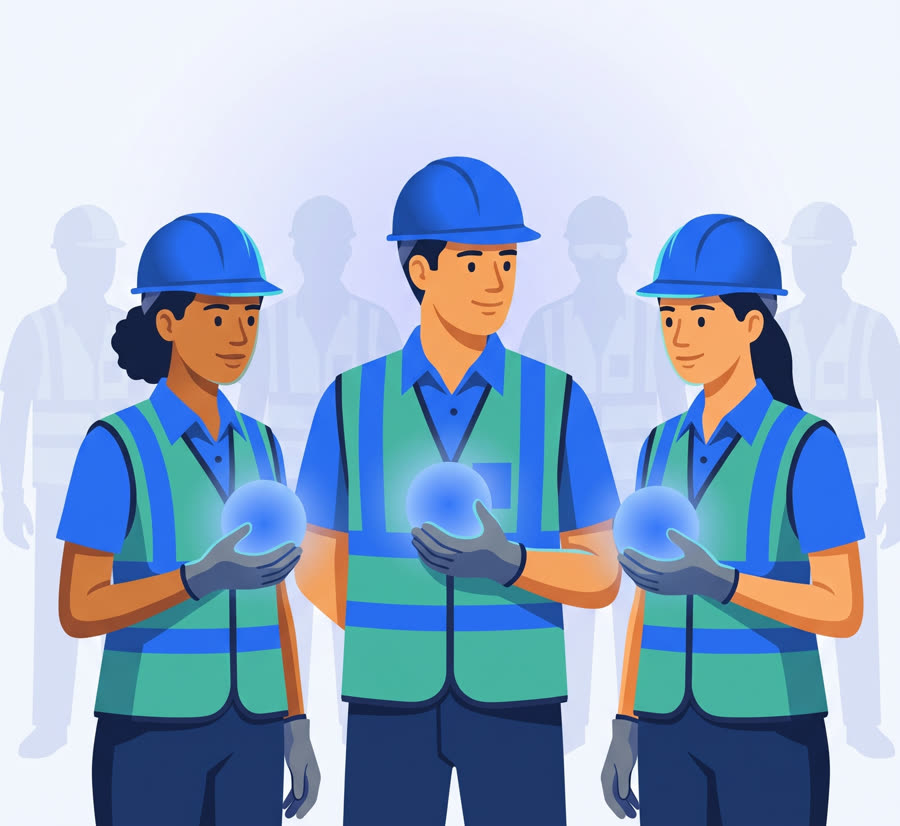
Illustration of three workers in hard hats and hi-vis vests, each holding a glowing blue sphere.
top